

Turn Your Phone into a Network Camera
Overview
IP Webcam transforms a smartphone into a functional network camera, enabling remote video monitoring across multiple platforms. The software allows users to stream live video from their mobile device to any device with a web browser or VLC player, making it ideal for real-time surveillance and monitoring. It supports various viewing methods, including Flash and JavaScript renderers, ensuring compatibility with a wide range of systems. The application is designed for both casual users and technically inclined individuals, offering straightforward setup for beginners and advanced features for experienced users.
Primary use cases include home security, baby monitoring, pet tracking, and remote work oversight. The software’s ability to support motion detection, sound detection, and night vision enhances its utility in low-light or high-security environments. Optional cloud broadcasting via Ivideon enables global access to live footage, while two-way audio allows for remote communication. It also supports video recording, FTP uploads, email sharing, and integration with third-party MJPG software, expanding its functionality beyond basic streaming.
Key Features & Capabilities
- Network Camera Functionality: Uses the smartphone’s camera as a live-streaming network camera accessible over Wi-Fi or the internet.
- Multi-Platform Viewing: Supports web browsers and VLC player for real-time viewing across Windows, Mac, Linux, and mobile devices.
- Motion and Sound Detection: Triggers alerts and recordings when movement or noise is detected, enhancing security monitoring.
- Night Vision: Leverages the phone’s camera and flash to capture video in low-light or dark environments.
- Cloud Broadcasting: Optional integration with Ivideon for remote access from anywhere in the world.
- Two-Way Audio: Enables live audio communication between the camera and the viewer.
- Video Recording & Uploads: Records video locally and supports uploads to Dropbox, FTP, and email.
- Integration with Third-Party Tools: Compatible with MJPG-based surveillance software and audio players for extended functionality.
- Sensor Data Acquisition: Captures and transmits data from device sensors such as accelerometer and gyroscope.
- Video Chart Support & Notifications: Displays real-time video analytics and sends push notifications via cloud services.
User Interface, Workflow & Performance
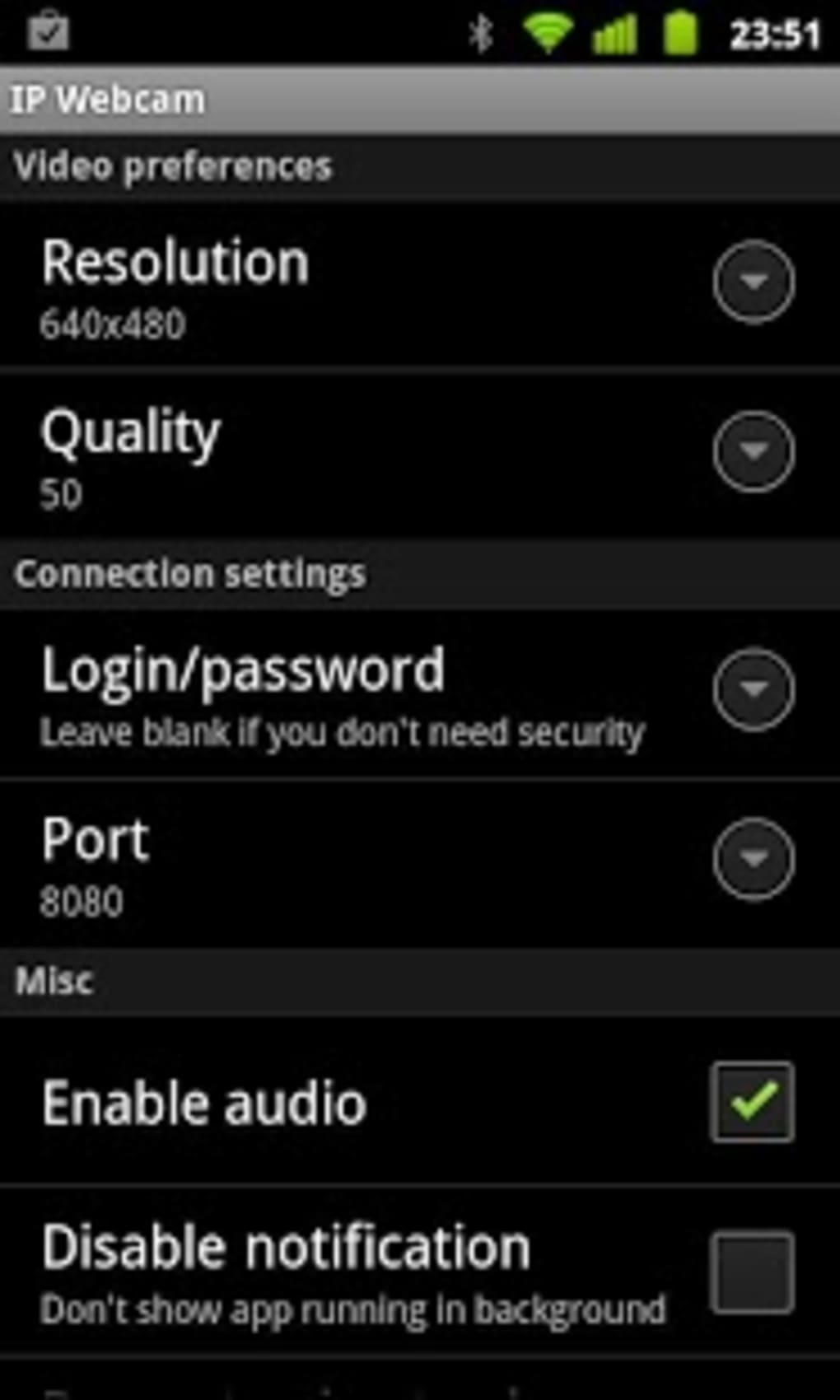
The user interface is designed for simplicity, allowing users to quickly configure the camera stream with minimal technical knowledge. The main screen provides access to streaming settings, detection options, and output methods. Navigation is intuitive, with clearly labeled sections for adjusting resolution, frame rate, and streaming protocols.
Workflow efficiency is high for basic use cases, such as setting up a baby monitor or home security feed. Advanced users can fine-tune settings like motion detection sensitivity, audio quality, and upload schedules. The software operates in the background once configured, minimizing interference with other applications.
The developer did not specify resource usage details. Performance observations are based on general software behavior patterns. Stability appears consistent during extended streaming sessions, though prolonged use may affect battery life on mobile devices. CPU and RAM usage remain moderate under normal conditions.
Compatibility & System Requirements
IP Webcam is compatible with Android and iOS devices. The application is available in version 1.1.2 and has a file size of 4.2 MB. It requires a smartphone with a functional camera and internet connectivity, either via Wi-Fi or mobile data.
Exact system requirements were not listed. Compatibility information was partially provided. The software relies on the device’s camera hardware and operating system capabilities, which may vary across models and versions.
Pros and Cons
Pros
- Transforms any smartphone into a functional network camera
- Supports cross-platform viewing via web browsers and VLC
- Includes motion and sound detection for enhanced monitoring
- Offers night vision and two-way audio capabilities
- Enables cloud broadcasting and remote access
- Supports video recording and automated uploads to Dropbox, FTP, and email
- Integrates with third-party MJPG software and audio players
- Free to use with no in-app purchases or hidden fees
Cons
- Requires a smartphone with a working camera and internet connection
- Background operation may impact battery life
- Cloud broadcasting requires a separate Ivideon account
- Advanced features may require technical understanding
- Performance depends on device hardware and network stability
FAQ Section
Is IP Webcam compatible with both Android and iOS?
Yes, IP Webcam is available for both Android and iOS devices, allowing users to use their smartphones as network cameras across different platforms.
Can I use IP Webcam without an internet connection?
Yes, the software can stream video over a local Wi-Fi network without requiring an internet connection. However, remote access and cloud broadcasting require an active internet connection.
Is the software safe to use?
IP Webcam does not collect or transmit personal data beyond the video stream and user-configured settings. It operates locally unless cloud features are enabled. Users should ensure their network is secured to prevent unauthorized access.
How often does the software update?
The software was last updated on April 15, 2024. Updates are released periodically to improve stability and add new features.
Can I use IP Webcam offline?
Yes, the application supports offline use by streaming video within a local network. This is ideal for temporary monitoring without internet access.
Final Thoughts + CTA
IP Webcam is a versatile and powerful tool that turns any smartphone into a professional-grade network camera. Its combination of motion detection, night vision, two-way audio, and cloud integration makes it suitable for a wide range of monitoring needs—from baby monitors to home security and remote work oversight. The free pricing model and broad compatibility enhance its accessibility.
While it relies on the host device’s hardware and network conditions, the software delivers reliable performance for both novice and advanced users. Its ability to integrate with third-party tools and support multiple output formats adds significant value.
For anyone seeking a flexible, cost-effective monitoring solution, IP Webcam stands out as a top choice. Download IP Webcam now.





.png)

